
How to update your CRM from your phone between showings
Tristen PaloriOct 1, 20268 min read


The short answer: log each call, meeting, or note on your phone right after it happens, while you still remember what was said, and move the deal to its new stage before you start the car. In SiteMap Prospect, every page now works on a phone: contact and company lists show as cards, record pages split into Details and Activity tabs, and pipeline cards have a tap menu to move a deal to its next stage. It takes about a minute per touch.
Most brokers don't skip CRM updates because they don't care. They skip them because the update happens at 6pm, from memory, on a laptop, after eight showings. This guide is about closing that gap.
Because the work happens in one place and the record lives in another. You take a call in a parking lot, tour a suite, and hear a tenant's real budget over coffee. Then you try to rebuild all of it at your desk.
Here's how the two approaches compare:
| Update at your desk later | Update on your phone right after | |
|---|---|---|
| Call notes | Rebuilt from memory, often skipped | Logged with an outcome before the next call |
| Deal stages | Moved in a batch on Friday | Moved the minute the LOI goes out |
| Follow-ups | Written on a sticky note, then lost | Created as a task with a due date |
| Your team's view | A day or more behind | Current as of your last touch |
| Landlord updates | Built from whatever got logged | Built from every logged touch |
The fix isn't more discipline. It's making the update small enough to do standing next to your car.
Yes. Sign in at sitemapcre.com in your phone's browser. Every Prospect page was checked at phone width and rebuilt where it didn't fit. The desktop layout didn't change.
On a phone you get a bottom bar with Home, Deals, Contacts, and Sites. The More sheet reaches everything else in the sidebar, including Listings, Campaigns, Tasks, Maps, Companies, Performance, and Export.
Lists of contacts, companies, sites, and deals show as cards instead of a wide table. Each card shows the name and one or two key fields. Search sits on its own row, with a sort menu and a filter button next to it, so the list itself gets most of the screen.
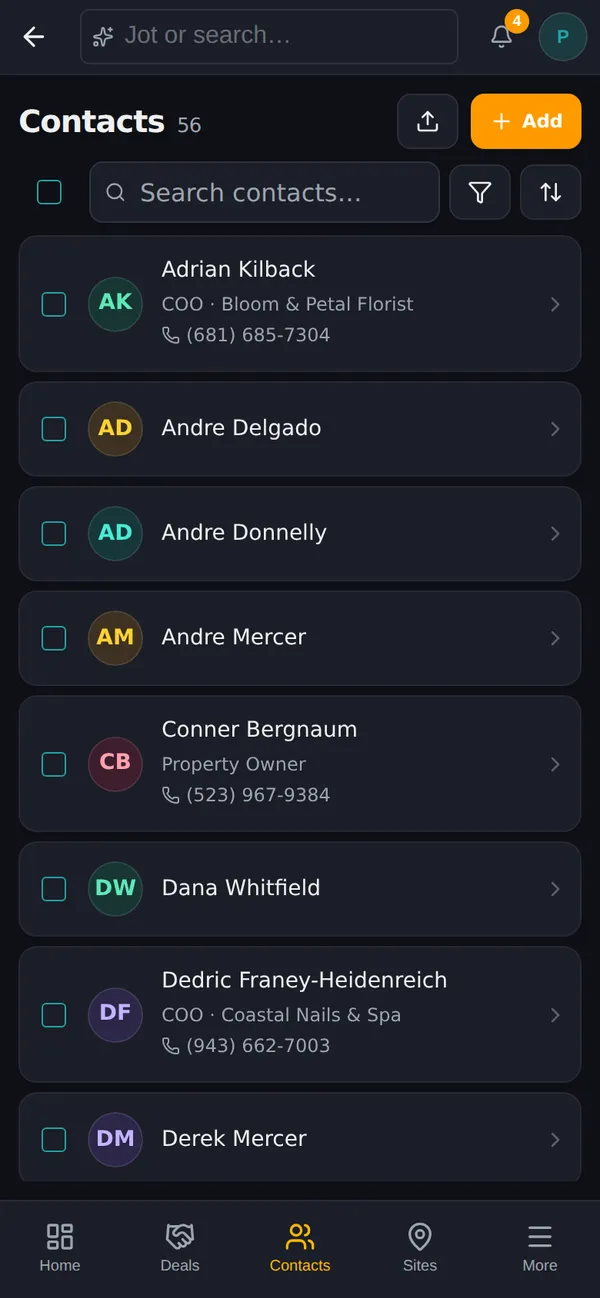
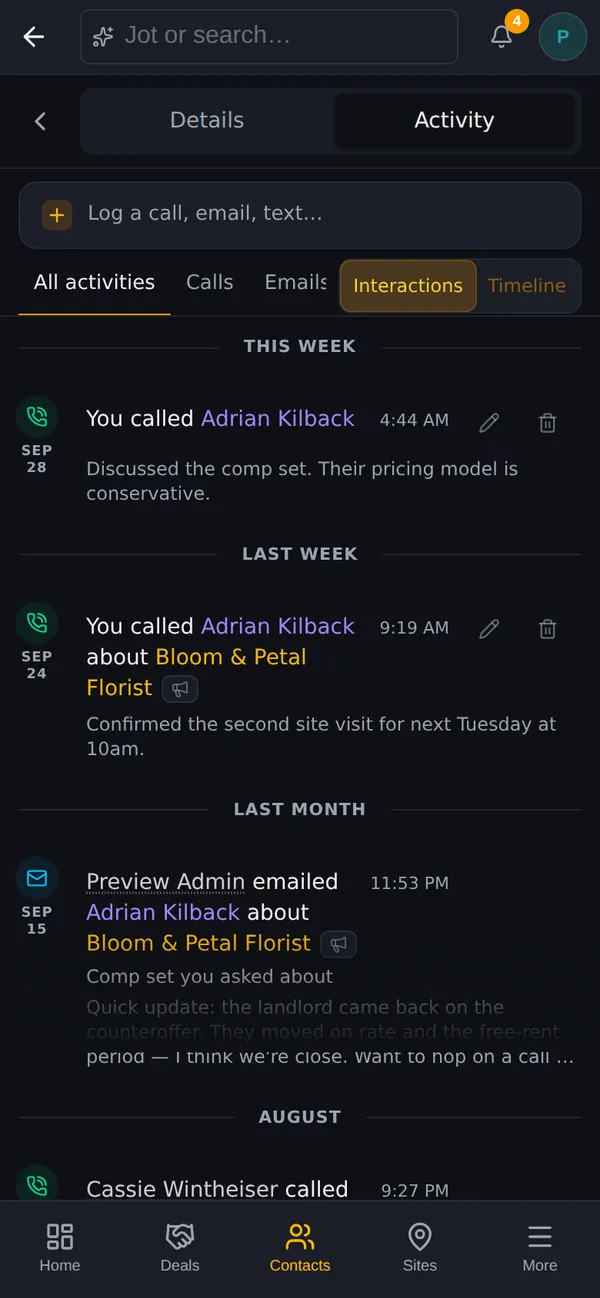
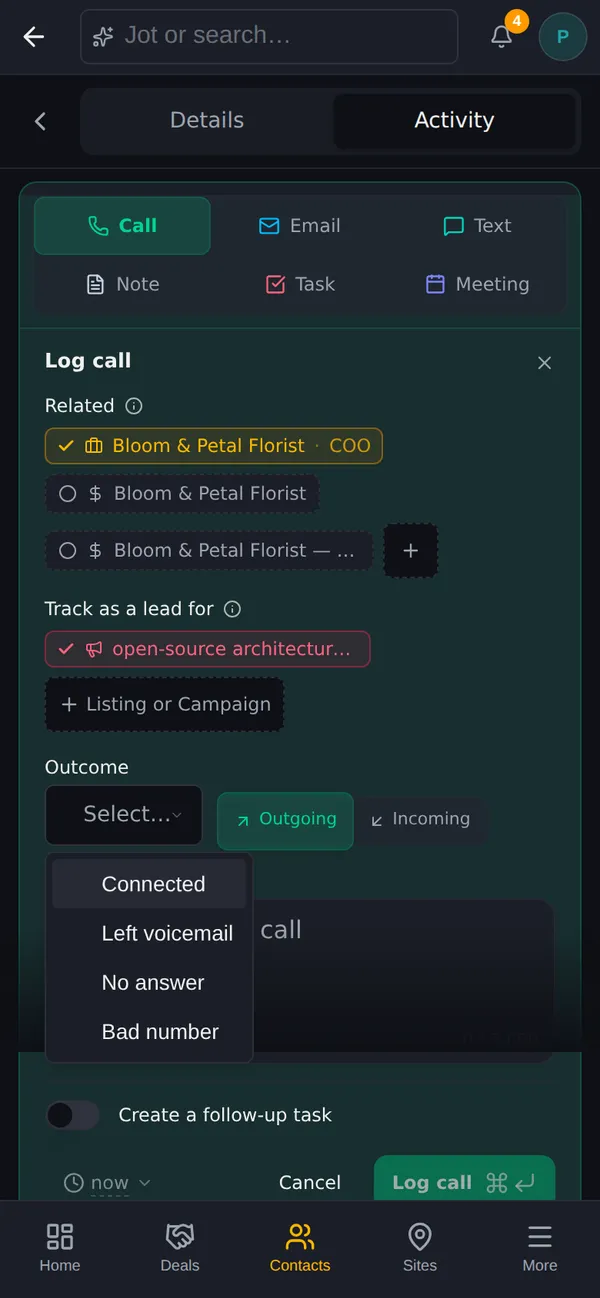
The call shows up on the Activity tab right away. If the contact's company is in an active campaign, that campaign is already checked under Track as a lead for, so the call counts toward it. Uncheck it, or tap Listing or Campaign to add another.
Phone and email fields open the right keyboard (number pad for phone numbers, the @ keyboard for email), which matters more than it sounds when you're typing with one thumb.
On a laptop you drag a deal card across the pipeline board. Dragging doesn't work well on glass, so on a phone each card has a Move to stage menu.
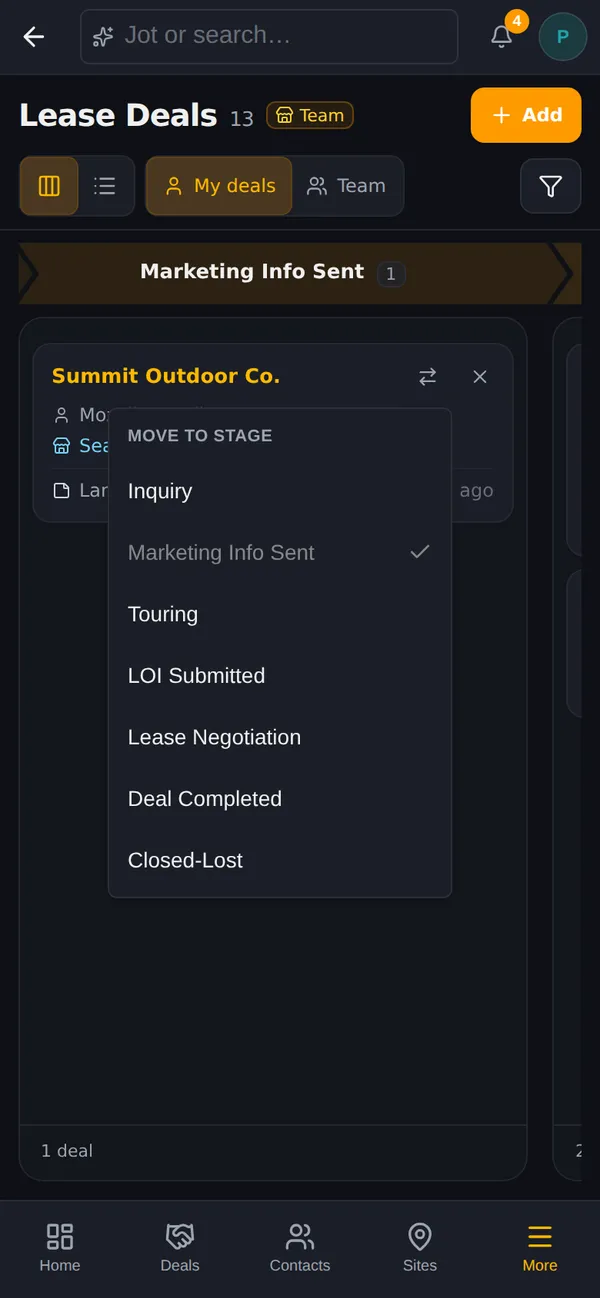
It saves the same way a drag does. Mark a deal lost and you're asked for the reason. Move it to a won stage and you get the same confetti and confirmation you'd see on desktop.
See CRM & Pipeline for how deal stages work in Prospect.
Open Campaigns from the More sheet and pick a campaign. On a phone, the prospect list fills the screen, and a Map button at the bottom flips to the map so you can see which prospects are near you. Tap List to flip back. Campaigns built from a list of contacts have no addresses to plot, so they stay list only.
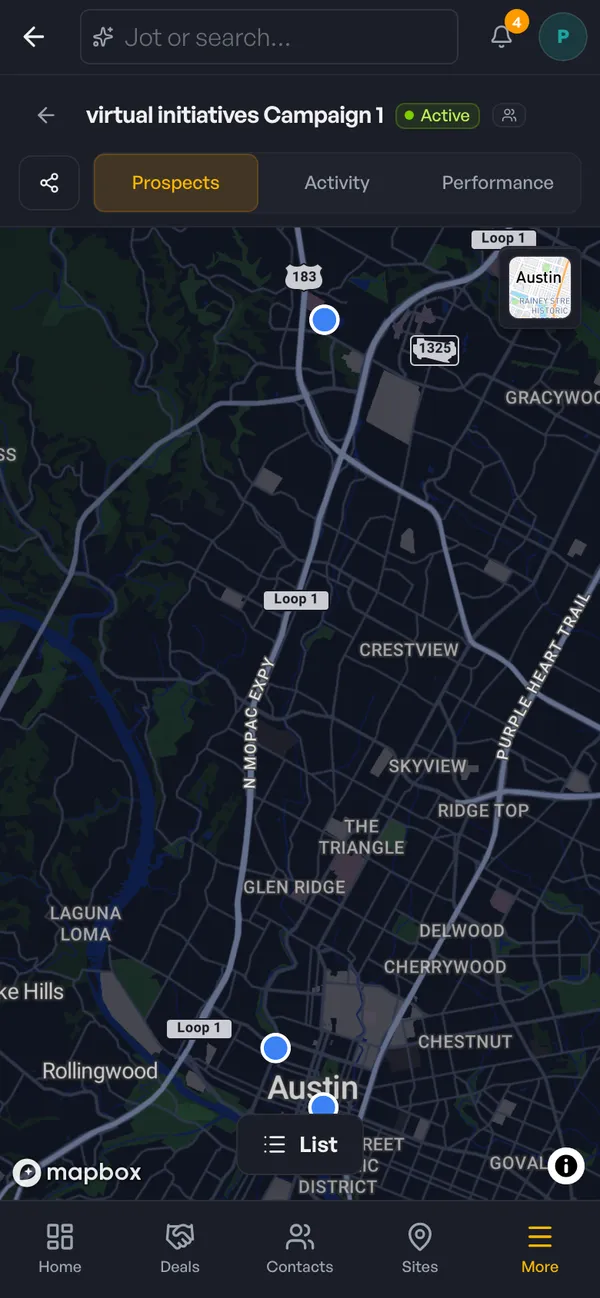
This is useful on the way to or from a showing. If you're already in the trade area, check the map for prospects nearby, open one, and either stop in or call from the parking lot. Log the outcome the same way as any other call.
Your Tasks page works the same way. Each task gets the full row for its title, with the due date on a second line, so you can scan what's due today between meetings.
Yes. Open the deal and tap into Deal Files. On a phone it opens full screen, with the folders in a strip across the top. To move a file between folders, select it and use Move to… (dragging between folders still needs a mouse).
No. Prospect runs in your phone's browser. Sign in at sitemapcre.com and the phone layout loads on its own.
Everything in the sidebar on desktop is reachable on a phone through the bottom bar and the More sheet: contacts, companies, sites, deals, pipelines, listings, campaigns, tasks, maps, performance, and export. Lists show as cards, records split into Details and Activity tabs, and pipeline cards have a Move to stage menu.
Because "I called" without a result isn't useful to you next week or to your team today. Connected, left voicemail, no answer, and bad number each mean a different next step. Notes are still optional.
No. The phone layout only applies on small screens. On a laptop or a desktop monitor, Prospect looks and works the same as before.
After every touch, if you can make it quick enough. A call logged within a minute of hanging up is more accurate than a week of calls logged on Friday, and it means your follow-up tasks exist before you need them.
A pipeline is only as good as its last update. If the update takes a minute on your phone, it happens. If it waits for your desk, it usually doesn't.
For the prospecting side of the job, read How to find tenants for a vacant commercial space in 10 minutes. To see everything Prospect does, visit the Prospect product page or compare plans on the pricing page.
Start a 30-day free trial and run the whole playbook inside SiteMap.